
EV Charger Usage & Everyday Operation Guide
Practical answers to the most common “how do I actually use this in real life?” questions about EV chargers – from public stations to home charging – with clear, technically accurate guidance.
Using public EV chargers in real life Public charging
Q: How do I use public EV chargers?
A: Most public chargers follow a similar process:
- Find a compatible station. Use your car’s navigation, the charger network app (e.g., ChargePoint, Electrify America, FLO), or third-party apps such as PlugShare. Filter for connector type (J1772, CCS, NACS, CHAdeMO) and power level (Level 2 vs DC fast).
- Park correctly. Position the car so the cable comfortably reaches your charge port without stretching or bending.
- Authenticate. Tap an RFID card, use the app, or pay via contactless card (at some networks). Some workplace or hotel chargers start automatically and are free to use.
- Plug in and confirm charging. Insert the connector firmly until you hear or feel it click. Check both the charger screen/app and your car’s dashboard to confirm charging has started.
- End the session. Stop charging from the app, charger screen, or the car’s interface; wait for the connector to unlock, then unplug and return the cable to the holster.
Q: Where do you plug in an EV charger?
A: The charger cable always plugs into the vehicle charge inlet, which is usually located:
- On the front fender (many Korean and Japanese EVs)
- On the rear quarter panel (similar to a fuel door)
- On the front nose or grille area (e.g., some early EVs)
At home, the EVSE unit itself is plugged into a dedicated 240 V outlet (for plug-in units) or hard-wired to your panel, and then its cable connects to the car.
Example: Using a FLO (or similar network) EV charger Network chargers
Q: How do you use a FLO EV charger?
A: Most networked Level 2 chargers (FLO, ChargePoint, Blink, etc.) work in a similar way:
- Create an account & add payment. Install the network’s app, register, and add a payment method or load a balance.
- Start the session via app or card. At a FLO
charger, you typically:
- Select the station in the app and tap “Start charge”, or
- Tap your FLO RFID card on the reader.
- Plug in when prompted. The charger will instruct you (on screen or in the app) to connect the cable to your car.
- Monitor in the app. You can see power, energy delivered, and cost in real time.
- Stop & unplug. End the session in the app or on the charger, then unplug and stow the cable.
Confirming your EV charger is working properly Health & status
Q: How can you tell if your EV charger is working properly?
A: For a home charger, check:
- Status lights: A “ready” or “power” light should be solid green (or whatever the manufacturer defines as normal). Flashing red or amber usually means a fault.
- Charging behaviour: When plugged in, the car should show charging power (e.g., kW) and estimated time to full. State of charge (SoC) should increase at a stable rate.
- App data: Smart chargers (EVIQO, Emporia, ChargePoint, etc.) show real-time power, energy delivered, and error codes in their apps.
- Heat & noise: A charger will be warm but not too hot to touch. Any burning smell, loud buzzing, or repeated tripping of breakers is a warning sign; stop using it and call an electrician or the manufacturer.
Q: How can you tell if a public EV charger is working before plugging in?
A: You can often spot problems before you plug in:
- Check the screen: It should be on and showing “Ready”, “Available”, or a similar message – not “Out of service” or “Fault.”
- Look at LEDs: Many stations use a colour system (green = available, blue = charging, red = fault). A red bar or red ring is usually bad news.
- Use the app: Network apps show live status (“available”, “in use”, “temporarily unavailable”) and often have recent user check-ins noting if a unit is down.
- Inspect the connector: Avoid units with obviously damaged cables, broken handles, or exposed wiring.
Understanding real-world charging speed Charging speed
Q: How fast is a Level 2 EV charger?
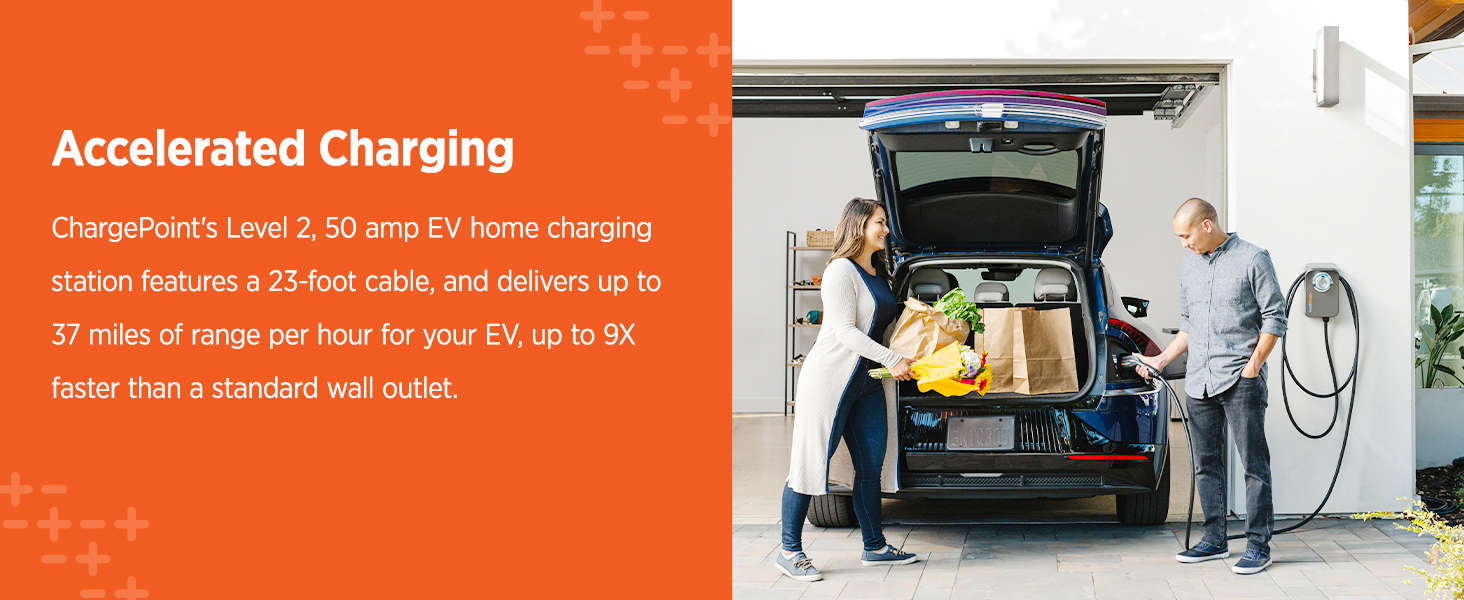
A: Level 2 chargers typically deliver 3.3–11.5 kW (occasionally up to 19.2 kW in high-end systems). In everyday terms:
- Lower-power Level 2 (3.3–7 kW): roughly 12–25 miles of range per hour.
- Common 32–40 A home units (7–9.6 kW): around 25–35+ miles per hour.
- High-power 48 A units (11.5 kW): up to ~40+ miles per hour, depending on the car.
Q: How can we find out if EV chargers are free before using them?
A: Use a combination of apps and on-site information:
- Network app: Most operators show tariffs in the app before you start (kWh price, per-minute rates, idle fees). Look for “$0.00/kWh” or “complimentary” if it is free.
- Third-party apps: Apps such as PlugShare often mark “Free” stations and include recent user comments confirming that they are still free.
- On-site signage: Some hotels, workplaces, and supermarkets clearly label “EV Charging – Free for Customers” or indicate any time limits.
- RFID cards: With some networks, a session may start with a tap and no fee if the host site covers the electricity.
Reliability, downtime & practical precautions Reliability
Q: How often do EV chargers break or fail?
A: Public charging reliability is improving but still not perfect. Studies in several regions have found that anywhere from 10–25 % of public chargers at a given time may be unavailable due to hardware faults, communication issues, payment problems, or vandalism. In practice, this means:
- Single-unit sites are risky. If the only charger there is down, you have no backup. Prefer sites with multiple connectors when travelling.
- Apps help. Many networks allow users to report issues. Check recent check-ins before relying on a charger for a critical stop.
- Home units fail less often. Quality Level 2 chargers installed on a proper circuit are usually very reliable and may run for many years with minimal issues.
Q: What should I be wary of when using EV chargers?
A: A few sensible precautions significantly reduce risk:
- Damaged hardware: Never use a connector with cracked housing, exposed wires, bent pins, or melted plastic.
- Standing water: Chargers are weather-rated, but avoid using them if the handle or socket is submerged or there is obvious flooding.
- Improvised extension cords: These are generally not recommended for EV charging due to overheating and fire risk (see below).
- Repeated breaker trips: If your home breaker trips repeatedly during charging, stop and consult a licensed electrician.
Everyday operation: auto-stop, heat, weather & ventilation Day-to-day use
Q: Do EV chargers turn off automatically?
A: Yes. Modern EV charging follows a controlled protocol. When the battery reaches the target state of charge (e.g., 80 % or 100 %), the vehicle’s battery management system tells the charger to stop delivering power. The charger then goes back to a “ready” state until you unplug or restart charging.
Q: Why do some chargers or cars stop at 80 %?
A: Above ~80 % state of charge, charging naturally slows to protect the battery. Many DC fast-charging stations and some EVs use 80 % as a default upper limit because:
- It reduces time spent at the charger on road trips.
- It is gentler on the battery, improving long-term health.
- It frees the charger faster for other users.
You can usually override this limit in the car settings when you truly need a full charge.
Q: Why do EV chargers get hot after use, and is that normal?
A: Moderate warmth is normal: high currents generate heat in cables, electronics, and connectors. However, you should be cautious if:
- The handle is too hot to hold comfortably.
- You detect a burning smell or visible discolouration.
- The breaker, outlet, or plug is hot or shows melting around the blades.
In those cases, stop using the charger and have the installation inspected. Overheating is often caused by undersized wiring, loose connections, or worn outlets.
Q: Are EV chargers weatherproof?
A: Most home and public EVSE units are rated at least NEMA 3R–4 or IP54–IP66, meaning they are designed for outdoor use in rain, snow, and dust. That said:
- Mount them according to the manufacturer’s instructions, off the ground and away from direct spray where possible.
- Avoid pressure-washing the unit or cable directly.
- In very harsh marine or industrial environments, consider additional shielding or enclosures.
Q: Do EV chargers need ventilation?
A: Modern EV chargers and lithium-ion batteries do not emit hydrogen gas like old lead-acid systems, so no special ventilation is needed beyond a normal, code-compliant garage. What they do need is reasonable ambient temperature:
- Avoid tightly enclosing the charger in a sealed box unless it is specifically designed for that.
- Keep the area around the EVSE clear so air can circulate; this helps the unit manage heat.
Extension cords, auto-stop & practical “dos and don’ts” Important cautions
Q: Can I use an extension cord with my EV charger?
A: In general, extension cords are strongly discouraged for EV charging because:
- Most consumer-grade cords are not rated for continuous high current and may overheat.
- Long cords increase voltage drop, making charging less efficient and harder on equipment.
- Many manufacturers explicitly forbid extension cords in their manuals; ignoring this can void warranties and insurance.
If you must temporarily extend reach, only use a heavy-duty cord specifically rated for EV or RV service, matched to the current and outlet type, and consult an electrician. The better solution is to add a proper outlet or relocate the charger.
Q: How do you stop an EV charger?
A: With most systems you can:
- Stop via the vehicle (set charge limit, or tap “Stop charging”).
- Use the charger’s app to end the session.
- Press the Stop or End button on the charger’s screen, where available.
Never yank out the connector while current is flowing; always stop the session first so the communication protocol can safely de-energise the pins.
Q: Are EV chargers in my area generally full / overloaded?
A: This varies by region. In dense urban areas with many EVs and few chargers, popular sites can be busy at peak hours (evenings, weekends). In other areas, stations are often under-used. To manage this:
- Use apps that show real-time availability and plan around busy periods.
- Prefer sites with multiple connectors, which are less likely to be “iced” (blocked) or fully occupied.
- At home, installing a reliable Level 2 charger eliminates most day-to-day public charging stress.



